> ## Documentation Index
> Fetch the complete documentation index at: https://paper.brimble.io/llms.txt
> Use this file to discover all available pages before exploring further.
# Keys and limits
> Plans, session caps, and bring-your-own-key for Brimble Agent.
Brimble Agent is included on **Hacker**, **Pro**, and **Team** by default. On the **Free** plan you use it by adding your own model provider key.
The exact daily chat count and per-session token cap come from your account. The composer shows the numbers that apply to you.
## Without your own key
Each chat session has a token budget. A counter in the composer tracks how much of that budget the thread has used.
When the session hits the cap, the input locks with **Token limit reached**. Start another session to continue. If that chat is already locked at the cap, sending starts a new session.
There is also a daily cap on **new** chats. The composer shows used / allowed for the day. When none remain, you cannot start a new session until the next day, unless you add a provider key.
These caps are set on the account. They are not the same as [API key rate limits](/security/api-keys#rate-limits) for the platform `br_` / `bk_` key.
## Bring your own key
Open **Settings → API Keys** in the dashboard. Under **Bring your own key** you can add a key for:
* Anthropic
* OpenAI
* Google
* xAI
* DeepSeek
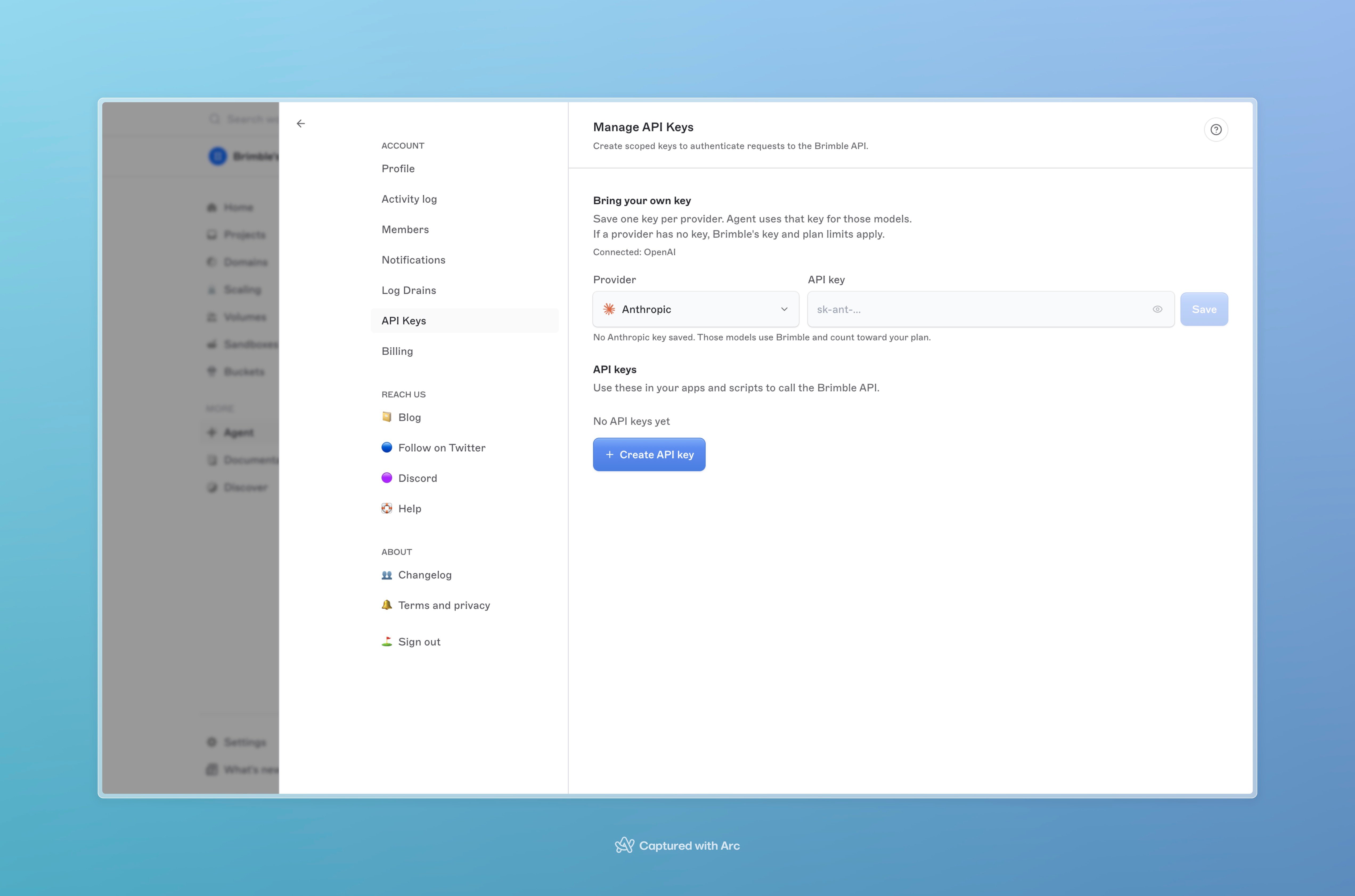 Brimble checks that the key works before it is saved. The dashboard never shows the saved value.
Pick a model that belongs to that provider. The request then uses your key.
With a key for the selected model:
* The per-session token cap does not apply.
* The daily new-chat cap does not apply.
* Agent works even if the plan would otherwise keep it off (including Free).
Do not paste provider keys, tokens, or passwords into the chat. Treat a leaked secret as compromised and rotate it. Agent keys belong in Settings. Platform API keys belong on the [API keys](/security/api-keys) page. They are different secrets.
## File and message limits
| Limit | Value |
| ----------------- | --------------------------------------------------------------------------------------------------- |
| Message length | 10,000 characters |
| Files per message | 20 |
| File size | 10 MB |
| File types | `png`, `jpg`, `jpeg`, `gif`, `webp`, `pdf`, `txt`, `md`, `csv`, `json`, `html`, `htm`, `log`, `zip` |
| Pasted links | 3 |
| Voice clip | 60 seconds |
Send stays disabled while a file is still uploading.
## Next steps
* [Using the agent](/agent/using-the-agent)
* [What it can do](/agent/what-it-can-do)
* [API keys](/security/api-keys)
* [Plans](/billing/plans)
Brimble checks that the key works before it is saved. The dashboard never shows the saved value.
Pick a model that belongs to that provider. The request then uses your key.
With a key for the selected model:
* The per-session token cap does not apply.
* The daily new-chat cap does not apply.
* Agent works even if the plan would otherwise keep it off (including Free).
Do not paste provider keys, tokens, or passwords into the chat. Treat a leaked secret as compromised and rotate it. Agent keys belong in Settings. Platform API keys belong on the [API keys](/security/api-keys) page. They are different secrets.
## File and message limits
| Limit | Value |
| ----------------- | --------------------------------------------------------------------------------------------------- |
| Message length | 10,000 characters |
| Files per message | 20 |
| File size | 10 MB |
| File types | `png`, `jpg`, `jpeg`, `gif`, `webp`, `pdf`, `txt`, `md`, `csv`, `json`, `html`, `htm`, `log`, `zip` |
| Pasted links | 3 |
| Voice clip | 60 seconds |
Send stays disabled while a file is still uploading.
## Next steps
* [Using the agent](/agent/using-the-agent)
* [What it can do](/agent/what-it-can-do)
* [API keys](/security/api-keys)
* [Plans](/billing/plans)