> ## Documentation Index
> Fetch the complete documentation index at: https://paper.brimble.io/llms.txt
> Use this file to discover all available pages before exploring further.
# Storage credentials
> Issue, rotate, and revoke S3-compatible access keys, scoped per bucket and per role.
A **storage credential** is an access key pair (`accessKeyId` + `secretAccessKey`) scoped to **one bucket** with a **role**. Hand it to any S3-compatible client to read or write that bucket.
Credentials are issued per bucket, not per account. That keeps the blast radius tight: a leaked key only exposes the bucket it was issued for, and revoking it doesn't affect any other bucket.
## Roles
| Role | Can do | Use for |
| -------------- | ---------------------------------------------------------------- | ------------------------------------------------------------------------------------------- |
| **`ReadOnly`** | List objects, get objects, head objects. | Downloads, public-asset readers, anything that should never write. |
| **`Editor`** | Everything in `ReadOnly`, plus put, copy, delete, and multipart. | Application code that uploads on behalf of users; CI jobs that push backups; admin tooling. |
Roles are immutable; to change a credential's role, rotate to a new one with the role you want and revoke the old one.
## Create a credential
### From the dashboard
1. Open the bucket's detail page.
2. Go to **Credentials → New credential**.
3. Pick a **role** (`ReadOnly` or `Editor`).
4. Click **Create**.
5. **Copy both `accessKeyId` and `secretAccessKey` right away.** The secret is shown once; after you close the modal, you can rotate or delete but you can't view it again.
6. Store the pair in your secret manager, your CI secret store, or a `.env` file outside source control.
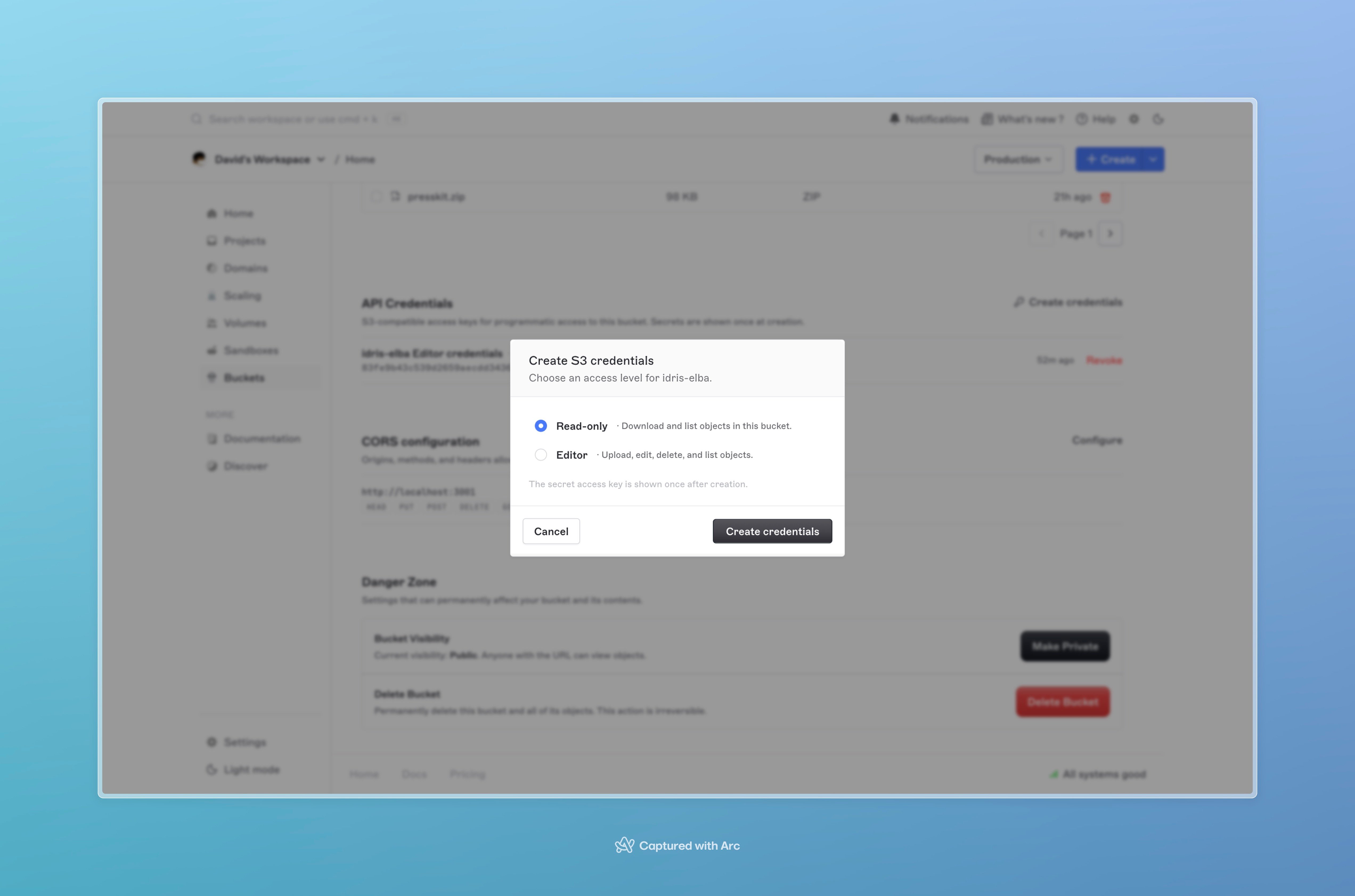 The dashboard lists existing credentials with their role, creation date, and status (`active` or `revoked`). The secret is never displayed after creation.
## Use the credential
Pass the pair to any S3 client along with the bucket's endpoint and region:
```bash theme={null}
export BRIMBLE_S3_ENDPOINT="https://"
export BRIMBLE_S3_REGION=""
export AWS_ACCESS_KEY_ID=""
export AWS_SECRET_ACCESS_KEY=""
aws s3 ls s3://my-bucket/ \
--endpoint-url "$BRIMBLE_S3_ENDPOINT"
```
See [Working with objects](/object-storage/objects) for SDK examples in Node, Python, and the AWS CLI.
## Rotate a credential
Rotating issues a **new** access key pair under the same role and revokes the **old** one in the same step. Use this when:
* A key may have been exposed.
* You're handing off ownership (the previous holder shouldn't keep access).
* You have a scheduled rotation policy.
### From the dashboard
1. Open the bucket's **Credentials** tab.
2. Click **Rotate** next to the credential.
3. Confirm.
4. **Copy the new `accessKeyId` and `secretAccessKey` immediately.** The old pair stops working the moment rotation completes.
**No grace period.** Rotation invalidates the old key the instant the new one is issued. Update every consumer (app config, CI secrets, deployed services) before rotating, or stage the rotation so the new key is in place first.
## Revoke a credential
Revoking permanently disables a credential. It can't be re-enabled; create a fresh one if you need a key again.
### From the dashboard
1. Open the bucket's **Credentials** tab.
2. Click the overflow menu on a credential and choose **Delete**.
3. Confirm.
A revoked credential's row stays in the list with status `revoked` for audit purposes.
## Security recommendations
* **Issue one credential per consumer.** Don't share a single pair across services; one pair per app / CI job / external integration makes rotation and revocation surgical.
* **Default to `ReadOnly`.** Use `Editor` only where writes are actually needed. A typical setup has one `Editor` credential for the upload path and many `ReadOnly` credentials for consumers.
* **Rotate on schedule.** Quarterly is a reasonable cadence for production credentials, more often if your compliance posture demands it.
* **Never commit credentials.** `.env`, secret managers, CI secret stores; not source control, not chat threads.
* **Treat dashboard access as administrator-level.** Anyone who can see the dashboard can issue or rotate credentials. Lock down team membership accordingly and require [two-factor authentication](/security/two-factor-authentication).
**Use Brimble [environment variables](/environments/environment-variables) for app-side keys.** If your application runs on Brimble, store the storage credential in the project's env vars instead of baking it into the image. You get encrypted-at-rest storage, per-environment scoping, and one-click rotation.
## Troubleshooting
**`InvalidAccessKeyId`.** The `accessKeyId` doesn't match any active credential for the bucket. Check the value, and confirm the credential hasn't been rotated or revoked.
**`SignatureDoesNotMatch`.** The `secretAccessKey` doesn't match, or the region passed to the S3 client doesn't match the bucket's region. Re-check both.
**`AccessDenied` on `PutObject` / `DeleteObject`.** The credential is `ReadOnly`. Issue an `Editor` credential for the writer, or rotate the existing credential under the new role.
**Lost the secret.** You can't recover a secret after the create modal closes. Rotate to a new pair, copy the new secret immediately, and revoke the old one.
## Next steps
* [Working with objects](/object-storage/objects), wire the credential into an S3 SDK or CLI.
* [Buckets](/object-storage/buckets), CORS rules for browser-driven access with these credentials.
* [API keys](/security/api-keys), Brimble's account-level API key for the Brimble API itself (separate from storage credentials).
The dashboard lists existing credentials with their role, creation date, and status (`active` or `revoked`). The secret is never displayed after creation.
## Use the credential
Pass the pair to any S3 client along with the bucket's endpoint and region:
```bash theme={null}
export BRIMBLE_S3_ENDPOINT="https://"
export BRIMBLE_S3_REGION=""
export AWS_ACCESS_KEY_ID=""
export AWS_SECRET_ACCESS_KEY=""
aws s3 ls s3://my-bucket/ \
--endpoint-url "$BRIMBLE_S3_ENDPOINT"
```
See [Working with objects](/object-storage/objects) for SDK examples in Node, Python, and the AWS CLI.
## Rotate a credential
Rotating issues a **new** access key pair under the same role and revokes the **old** one in the same step. Use this when:
* A key may have been exposed.
* You're handing off ownership (the previous holder shouldn't keep access).
* You have a scheduled rotation policy.
### From the dashboard
1. Open the bucket's **Credentials** tab.
2. Click **Rotate** next to the credential.
3. Confirm.
4. **Copy the new `accessKeyId` and `secretAccessKey` immediately.** The old pair stops working the moment rotation completes.
**No grace period.** Rotation invalidates the old key the instant the new one is issued. Update every consumer (app config, CI secrets, deployed services) before rotating, or stage the rotation so the new key is in place first.
## Revoke a credential
Revoking permanently disables a credential. It can't be re-enabled; create a fresh one if you need a key again.
### From the dashboard
1. Open the bucket's **Credentials** tab.
2. Click the overflow menu on a credential and choose **Delete**.
3. Confirm.
A revoked credential's row stays in the list with status `revoked` for audit purposes.
## Security recommendations
* **Issue one credential per consumer.** Don't share a single pair across services; one pair per app / CI job / external integration makes rotation and revocation surgical.
* **Default to `ReadOnly`.** Use `Editor` only where writes are actually needed. A typical setup has one `Editor` credential for the upload path and many `ReadOnly` credentials for consumers.
* **Rotate on schedule.** Quarterly is a reasonable cadence for production credentials, more often if your compliance posture demands it.
* **Never commit credentials.** `.env`, secret managers, CI secret stores; not source control, not chat threads.
* **Treat dashboard access as administrator-level.** Anyone who can see the dashboard can issue or rotate credentials. Lock down team membership accordingly and require [two-factor authentication](/security/two-factor-authentication).
**Use Brimble [environment variables](/environments/environment-variables) for app-side keys.** If your application runs on Brimble, store the storage credential in the project's env vars instead of baking it into the image. You get encrypted-at-rest storage, per-environment scoping, and one-click rotation.
## Troubleshooting
**`InvalidAccessKeyId`.** The `accessKeyId` doesn't match any active credential for the bucket. Check the value, and confirm the credential hasn't been rotated or revoked.
**`SignatureDoesNotMatch`.** The `secretAccessKey` doesn't match, or the region passed to the S3 client doesn't match the bucket's region. Re-check both.
**`AccessDenied` on `PutObject` / `DeleteObject`.** The credential is `ReadOnly`. Issue an `Editor` credential for the writer, or rotate the existing credential under the new role.
**Lost the secret.** You can't recover a secret after the create modal closes. Rotate to a new pair, copy the new secret immediately, and revoke the old one.
## Next steps
* [Working with objects](/object-storage/objects), wire the credential into an S3 SDK or CLI.
* [Buckets](/object-storage/buckets), CORS rules for browser-driven access with these credentials.
* [API keys](/security/api-keys), Brimble's account-level API key for the Brimble API itself (separate from storage credentials).