
accessKeyId + secretAccessKey) scoped to one bucket with a role. Hand it to any S3-compatible client to read or write that bucket.
Credentials are issued per bucket, not per account. That keeps the blast radius tight: a leaked key only exposes the bucket it was issued for, and revoking it doesn’t affect any other bucket.
Roles
Roles are immutable; to change a credential’s role, rotate to a new one with the role you want and revoke the old one.
Create a credential
From the dashboard
- Open the bucket’s detail page.
- Go to Credentials → New credential.
- Pick a role (
ReadOnlyorEditor). - Click Create.
- Copy both
accessKeyIdandsecretAccessKeyright away. The secret is shown once; after you close the modal, you can rotate or delete but you can’t view it again. - Store the pair in your secret manager, your CI secret store, or a
.envfile outside source control.
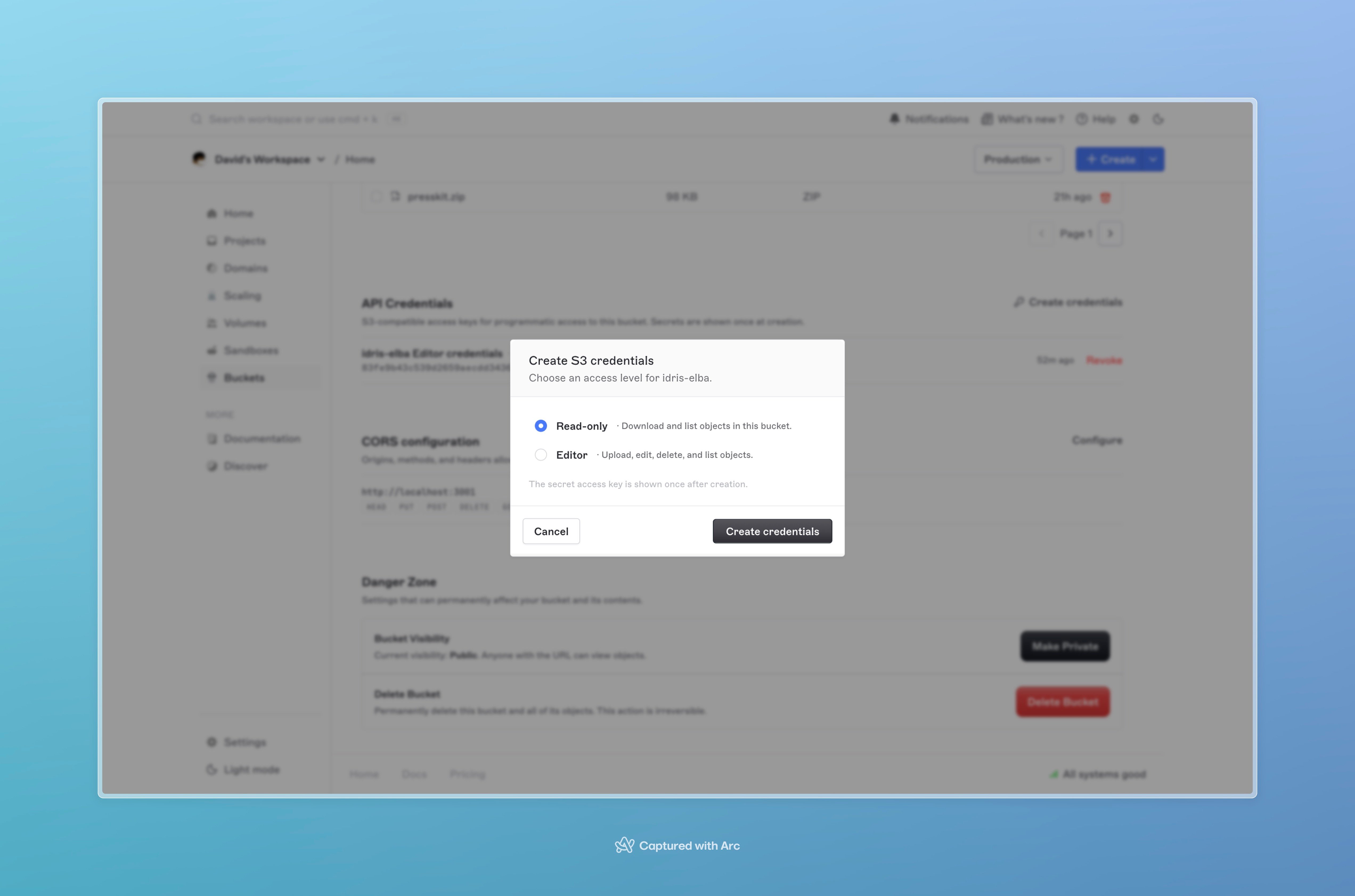
The New credential dialog with role selector and the one-time secret reveal.
active or revoked). The secret is never displayed after creation.
Use the credential
Pass the pair to any S3 client along with the bucket’s endpoint and region:Rotate a credential
Rotating issues a new access key pair under the same role and revokes the old one in the same step. Use this when:- A key may have been exposed.
- You’re handing off ownership (the previous holder shouldn’t keep access).
- You have a scheduled rotation policy.
From the dashboard
- Open the bucket’s Credentials tab.
- Click Rotate next to the credential.
- Confirm.
- Copy the new
accessKeyIdandsecretAccessKeyimmediately. The old pair stops working the moment rotation completes.
Revoke a credential
Revoking permanently disables a credential. It can’t be re-enabled; create a fresh one if you need a key again.From the dashboard
- Open the bucket’s Credentials tab.
- Click the overflow menu on a credential and choose Delete.
- Confirm.
revoked for audit purposes.
Security recommendations
- Issue one credential per consumer. Don’t share a single pair across services; one pair per app / CI job / external integration makes rotation and revocation surgical.
- Default to
ReadOnly. UseEditoronly where writes are actually needed. A typical setup has oneEditorcredential for the upload path and manyReadOnlycredentials for consumers. - Rotate on schedule. Quarterly is a reasonable cadence for production credentials, more often if your compliance posture demands it.
- Never commit credentials.
.env, secret managers, CI secret stores; not source control, not chat threads. - Treat dashboard access as administrator-level. Anyone who can see the dashboard can issue or rotate credentials. Lock down team membership accordingly and require two-factor authentication.
Troubleshooting
InvalidAccessKeyId. The accessKeyId doesn’t match any active credential for the bucket. Check the value, and confirm the credential hasn’t been rotated or revoked.
SignatureDoesNotMatch. The secretAccessKey doesn’t match, or the region passed to the S3 client doesn’t match the bucket’s region. Re-check both.
AccessDenied on PutObject / DeleteObject. The credential is ReadOnly. Issue an Editor credential for the writer, or rotate the existing credential under the new role.
Lost the secret. You can’t recover a secret after the create modal closes. Rotate to a new pair, copy the new secret immediately, and revoke the old one.
Next steps
- Working with objects, wire the credential into an S3 SDK or CLI.
- Buckets, CORS rules for browser-driven access with these credentials.
- API keys, Brimble’s account-level API key for the Brimble API itself (separate from storage credentials).