
- Save a working environment before risky changes.
- Hand off a configured environment to a teammate (within your account; snapshots are per-user).
- Spin up identical sandboxes from a known-good baseline instead of re-running setup every time.
Creating a snapshot
You create snapshots in two modes: manually whenever you want, or on a schedule.Manual
From the dashboard, click Snapshot on a sandbox’s detail page and name it. From the SDK, callsnapshots.create on the handle:
status: "creating". The snapshot transitions to ready once the image is built, typically within a couple of minutes for typical sandbox sizes. If the build fails, the snapshot moves to failed and stays there; failed snapshots don’t auto-retry.
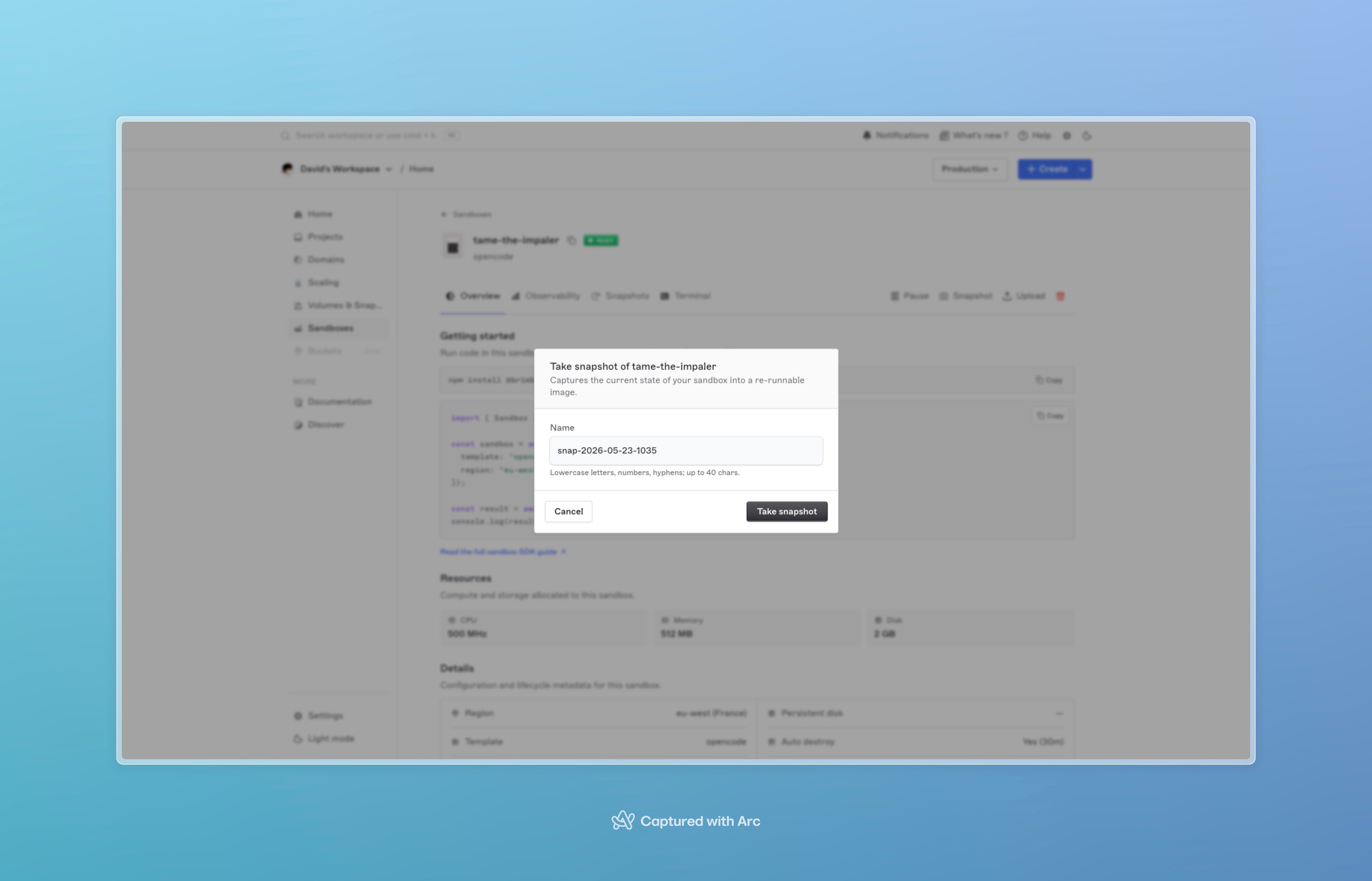
The Take snapshot modal on a sandbox's detail page.
ready sandbox. Sandboxes that are paused, starting, or anything else reject the snapshot call. Only one snapshot per sandbox can be in-flight at a time; back-to-back requests serialize.
Automatic
To snapshot on a schedule, setsnapshotMode: "automatic" and snapshotFrequency (a five-field cron expression) at sandbox creation:
ready and no snapshot is already in flight; if the sandbox is paused or busy, the tick is skipped (it doesn’t queue up missed runs).
snapshotMode defaults to manual. snapshotFrequency is required when mode is automatic and forbidden otherwise.
Restoring from a snapshot
Restoring doesn’t modify the snapshot; it creates a new sandbox whose initial filesystem is the snapshot’s image. PassfromSnapshot to any create call:
- Only
readysnapshots are restorable.creatingrejects with a clear error;failedis unusable. - The new sandbox’s
templateis inherited from the snapshot’s source template. - The new sandbox gets a fresh ID and is otherwise independent; pause, exec, destroy, all behave normally.
- You can restore the same snapshot any number of times. Each restore is a separate sandbox.
Restores boot a few seconds slower than a fresh template sandbox. Snapshots aren’t pre-warmed — the image has to be pulled and unpacked before the container can start.
create() with fromSnapshot still blocks until ready; allow a slightly longer client timeout than a template-only create.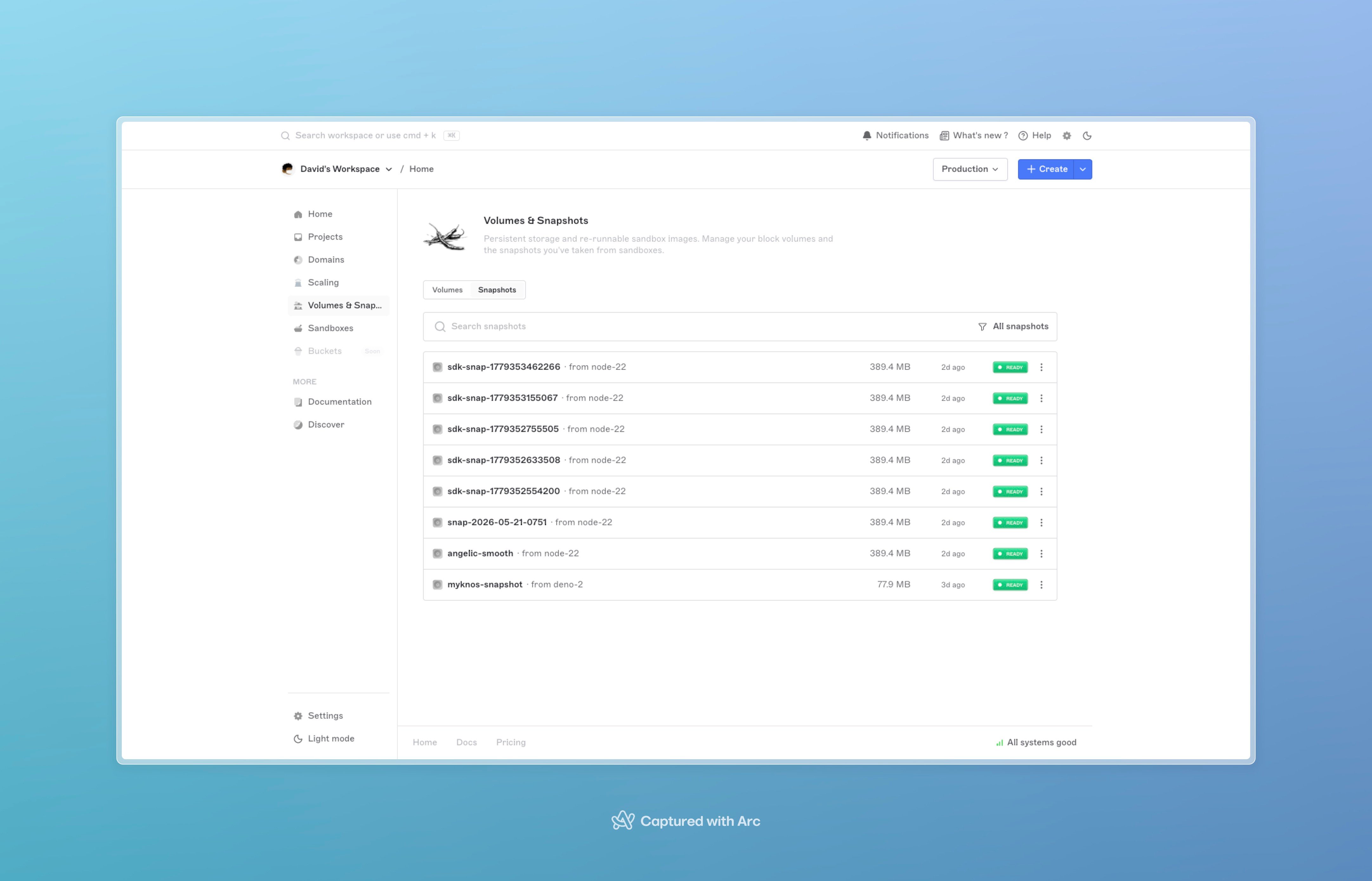
The Snapshots tab listing snapshots with name, source sandbox, status, and a Restore button per row.
Listing snapshots
Two views, depending on scope:id, name, source_template, status, created_at, and sandbox_id. The image bytes themselves aren’t downloadable; snapshots are restore-only.
Deleting snapshots
Retention and expiry
Each snapshot has anexpires_at timestamp set at creation. A background reaper runs hourly and deletes snapshots whose expires_at has passed. The retention window depends on your plan and account configuration; check Billing → Limits to see your current snapshot retention.
Restoring from a snapshot does not extend its expiry. If you want to keep a baseline indefinitely, take a fresh snapshot from the restored sandbox before the original expires.
Billing
Snapshots count against your account’s compute-storage usage for the time they’re held. Storage charges are visible under Billing → Usage. Deletion stops the billing immediately. Restoring isn’t free either: the new sandbox bills from the moment it goesready, like any other sandbox. The snapshot itself stays billable separately.
Failure modes
Next steps
- SDKs, the full reference, including snapshot helpers on the handle and at the client level.
- Sandboxes overview, lifecycle and operations.
- Sandbox internals, how snapshot images are stored and restored.